
MIE55SpeedUp
ATTENTION:
This product is outdated! Support for this product has been stopped.
If this product was a beta product may documentation, installer
and/or features are missing.
MIE55SpeedUp
Summary
Internet Explorer version 5.5 (and even version 6) has a problem regarding the context menus: It can take up to 5 seconds from them to appear.
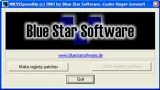 Internet Explorer version 5.5 (and even version 6) has a
problem regarding the context menus: It can take up to 5 seconds
from them to appear.
Internet Explorer version 5.5 (and even version 6) has a
problem regarding the context menus: It can take up to 5 seconds
from them to appear.
Overview
Why does it take so long to display the context menu? The answer
is relatively simple:
Every time you press the right mouse button, Internet Explorer searches
the code pages of the system in the registry. Some of the entries
don't have a value, however, and every time the search hits an empty
value, the system tries to find a substitute, which can take quite
a long time (there can be more than 185 entries that have to be substituted).
You can speed up this process by simply removing these disused entries.
(Please don't ask why IE absolutely has to search the entire code
page list when asked to display the context menu!)
< br />
MIE55SpeedUp handles this job simply and comfortably.
Details
This is the registry key where the system code pages are
defined:
HKEY_LOCAL_MACHINE\SYSTEM\CurrentControlSet\Control\Nls\CodePage
You can easily see that not for every field there are values available.
And these are the fields causing the problem. The program creates
a new key by the name of MIE55SpeedUP and moves every empty field
into this subfolder.
Download
Latest Version: MIE55SpeedUp
& nbsp;
 Latest Version: